Pet Forest Controls
The short reference you want open while a Heatwave banner is up.
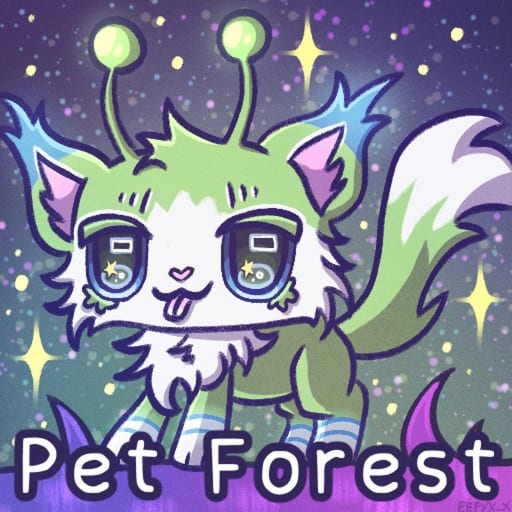
Pet Forest uses a standard Roblox character plus a handful of collector-specific prompts. This page is the keyboard and HUD reference. It is not a combat list, because the released experience is a simulation tycoon, not a PvP arena. If a control is missing, the prompt on your build is the source of truth — Caedyrn ships quality-of-life patches.
New players should skim Getting Started after this table so the keys have a job.
Movement and camera
| Action | Default | Notes |
|---|---|---|
| Move | WASD or thumbstick | Standard Roblox |
| Jump | Space | Rarely needed except on large decor |
| Camera | Right mouse / two-finger drag | Pull back to see Elusive trees |
| Sprint | Shift, or disable shift lock first | Footage shows sprint unlocking after shift lock is off |
| Shift lock | Toggle in Roblox settings or in-game lock | Turn off if you feel stuck strafing around trees |
On mobile, use the dynamic thumbstick and the jump button. Interact prompts appear as on-screen buttons when you stand near a tree, a pet, or a shop tile.
Collection and plot
| Action | Where | Notes |
|---|---|---|
| Interact / shake | Prompt on a tree or plant | Daily limits can block repeats |
| Open pets / index | HUD button | The index is how you confirm a new species |
| Place pet | Placement mode on your plot | Empty tiles do not earn |
| Sort | Least / most valuable, unsorted | Use before you grind |
| Inventory | HUD | Potions, shards, clone tools, extractors |
Sorting is the control people search for after the plot fills. There is no public advanced filter beyond those toggles. The dedicated walkthrough is How to Sort Pets. If you need a written plan, use the income planner instead of waiting for a search box that does not exist.
Decoration keys
| Action | Key | Notes |
|---|---|---|
| Rotate placeable | R | Confirmed in decorate footage |
| Alternate rotate | Q | Mentioned in some sessions; check the prompt |
| Confirm place | Click / tap | |
| Pick up | Prompt on your own prop | Do not pick up pets you meant to keep |
Full layout advice lives on Base and Decorations. Event presets from the Alien Event use the same keys.
Tools you equip
Luck Potions, mutation extractors, and Cloning Tools are inventory items you equip, then click a target. They are not keybinds. Read Crafting and Luck, Mutations and Chromatic, and Cloning Pets before you bind a click to the wrong pet.
Accessibility and five-player servers
Max players is five, so voice and chat stay small. There is no verified color-blind preset named in the official description. If a mutation coat is hard to see, use the star marker for Chromatic and the nameplate for species. Do not rely on a third-party overlay; script safety exists because overlays from other games are how accounts get hurt.
If a patch remaps a key, this page will follow the changelog. Until then, believe the prompt in front of the tree more than a screenshot from March.
Frequently Asked Questions
Quick answers to the most common questions.
How do I sprint in Pet Forest?
Use the usual Roblox sprint after shift lock is off. If you feel glued to the camera, toggle shift lock first.
How do I sort pets?
Open the pets panel and use least valuable, most valuable, or unsorted. The full habit is on How to Sort Pets.
What key rotates decorations?
R in current footage. Some builds also mention Q. Watch the on-screen hint.
Are there combat controls?
No. Pet Forest is a Roblox simulation tycoon about collecting and placing pets, not fighting.