Pet Forest Guides
Deep how-to pages for the searches that actually come out of a five-player forest.
This hub is the table of contents for every Pet Forest tutorial on the wiki. Each child page targets one job: start a base, map a tree to a pet, catch an Elusive during weather, read weather banners, make money on the plot, understand mutations, bake luck, decorate, clone, learn controls, or show up for Admin Abuse. English pages aim for real depth. They do not repeat the same closing essay.
Pet Forest is a released Roblox simulation tycoon. You pull pets from trees and plants, place them on a personal plot so they generate money, then spend that money on stronger pets and decorations. Servers hold up to five players. The loop looks simple in the official description and becomes messy the first time a Heatwave banner appears while your inventory is full of candy sheep.
Start here
If you have not finished the in-game tutorial, open Getting Started. It covers the first hour, daily limits, and why empty tiles on your plot are wasted income. If you already have a base and cannot find a named animal, jump to How to Get Pets or the biomes and trees index. A collector review sits later in the list if you want the “is this worth playing” answer before another session.
Hunters who only care about the rarest rolls should read Elusive Pet Hunting next. That page embeds a real hunt stream in the middle of the article. Banner rules for Heatwave, Sugar Rush, and Chromatic minutes are split onto Weather Events so the hunt page stays a route. If the plot is the problem, open How to Make Money before you shake another bush. If the list on the HUD is the problem, use How to Sort Pets.
Systems that change value
A common pet with a Candy or Vampiric coat can out-earn a plain rare. Mutations and Chromatic explains the coats players actually see, including the star marker people call shiny. Crafting and Luck is the otter kitchen: recipe tracking, failed cakes, and Luck Potions. Cloning Pets covers the tool that copies another player’s pet without stealing it — the fastest legal jump in income if you spend the tool on the right target.
Base, controls, events
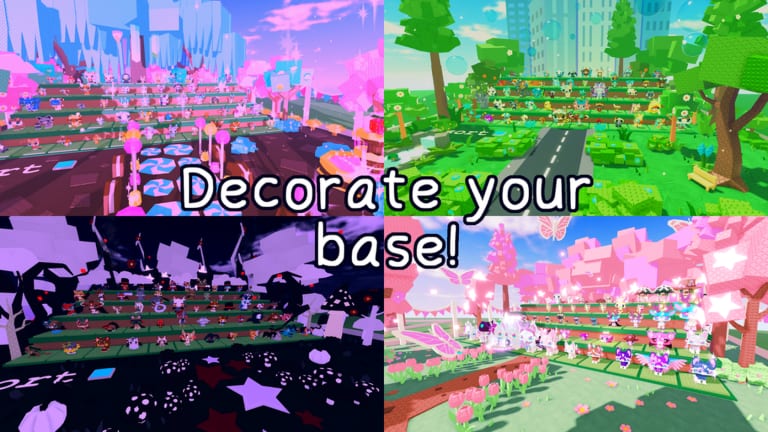
Decoration is not only cosmetic. Base and Decorations documents rotate keys, presets, and the Reset Shop. Controls is the short reference for sprint, shift lock, and placement. Paid shortcuts, when they exist on the official Store tab, are explained on Robux and store. Admin Abuse explains the every-two-weeks cadence without inventing a clock. Live limited content sits under Alien Event and the limited pets list.
How these guides connect to tools
After a hunt, tick species on the collection checklist and restack earners with the income planner. Rankings live on the tier list. Codes remain empty; see the Codes Hub before you trust a comment. Scripts remain undocumented for this title; see Scripts Hub rather than pasting a loadstring from a different forest game.
Use the sibling links at the bottom of each guide. Same-category pages are written to hand you to the next job, not to trap you on a single URL.
Frequently Asked Questions
Quick answers to the most common questions.
Which guide should a new player open first?
Start with Getting Started, then How to Get Pets once you can walk a biome.
Is there a video on every guide?
No. Only pages with a verified YouTube ID embed a video, and each page holds at most one clip in the middle of the article.
Do these guides assume codes or scripts?
No. The released loop works without promo codes. Dedicated scripts for Pet Forest have not been verified.
Where do event guides live?
Live events such as the Alien Event are filed under Updates Hub and linked from the relevant how-to pages.