Pet Forest How to Clone Pets
Duplicate a showpiece, leave the owner’s plot intact, spend the tool once.
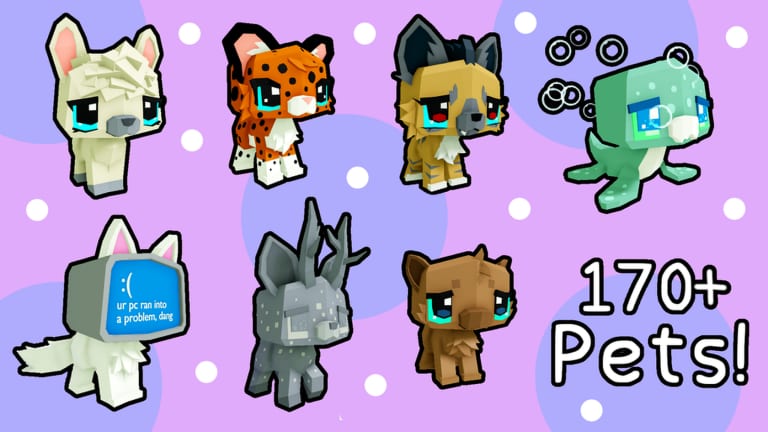
The Cloning Tool is the sharpest shortcut in Pet Forest. Point it at a pet — yours or someone else’s — and the game creates a copy for you. The tooltip in community footage is explicit: if the pet belongs to another player, the tool does not steal it, it only duplicates. That single sentence is why this guide exists. People still panic when a stranger walks onto their island.
You get tools from crafts, presents, shops, or rare drops. They are not codes. There is no verified auto-clone script for this title; see Scripts Hub. If a video promises infinite clones, it is almost certainly another game.
When cloning is the right move
Clone when the target beats every tile on your plot by a wide margin. Cupcake crabs, gummy sharks, and other event or Elusive showpieces that print hundreds of billions to trillions are the usual examples. Check the tier list and the income planner before you spend a tool on a cute mid-earner. A pirate coyote you already own is a wasted clone.
Clone a coat only if Mutations and Chromatic says that coat plus species is scarce. Clone a serial moth dragon if you care about the number; read serial and save slots first so you do not grind the copy.
When cloning is the wrong move
- You have empty tiles and no paying pets. Fill the plot through How to Get Pets instead.
- The owner is standing there asking you not to. Five-player servers are small. Reputation travels.
- You have not screenshot your own collection. A clone that overwrites a sort order can hide a limited Alien pet.
- You are cloning to “test” the tool. Tests belong on your own duplicate.
How to do it without looking lost
- Open inventory and equip the Cloning Tool. The prompt should say it clones and does not steal.
- Walk to the pet. You may need to stand inside a large model. That looks silly and works.
- Confirm the name and income on the billboard before you click. Huge plus Chromatic plus the wrong species is still the wrong species.
- Click once. Wait. The copy appears in your inventory, not on their tile.
- Return to your base, place the copy, and re-sort. Use controls if you forget the value toggle.
- If you asked in Discord or server chat, say thanks. If you did not ask, do not also emote on their pillow.
Robux shortcuts that clone a jerboa for a listed price show up in community talk. They are optional payments inside a free Roblox experience. This wiki will not pretend they are required.
After the clone
Treat the new pet as if you rolled it. Tick the collection checklist. If it is event-limited, keep a spare in a slot. If you now have two tools, do not immediately spend the second on the next shiny thing you see. The second tool is for the next time a Heatwave coincides with a visitor who already won.
Cloning does not replace weather, crafting, or Admin Abuse. It just lets a careful player import someone else’s luck. Use it like a scalpel.
Frequently Asked Questions
Quick answers to the most common questions.
Does cloning steal another player’s pet?
No. The in-game description says it duplicates only. The owner keeps the original.
Can I clone any pet on a base?
If you have a tool and can target the model, yes. Permission is etiquette, not a second item.
Should I clone for looks or for income?
Income first unless you are completing a collection row. The income planner settles arguments.
Are there scripts that auto-clone?
No dedicated Pet Forest scripts are verified. Pasting a random loadstring is an account risk, not a feature.